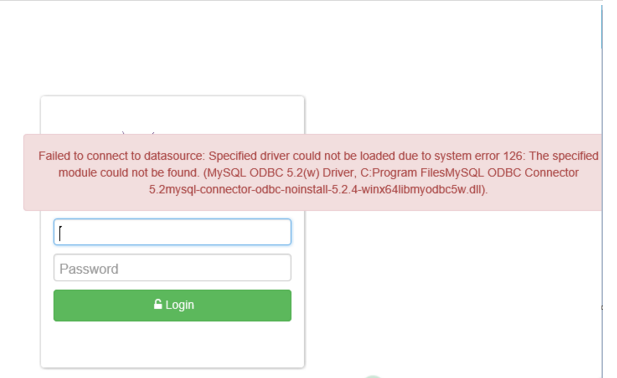
Failed to Connect Datasource on Windows Backup Server
KB ID: 115021
Cause:
This error typically arises due to the improper removal of the MySQL ODBC connector. If the connector is not removed correctly during the initial uninstallation, residual entries related to ODBC may persist in the Registry. These lingering entries can hinder the installation process of the MySQL ODBC connector during subsequent installations.
Solution:
To address this issue, follow these steps:1. Remove or rename the following entries from the Registry:
- 'HKLM > Software > Wow6432Node > ODBC > ODBC.INI > SGDBConnection`
- `HKLM > Software > Wow6432Node > ODBC > ODBCINST.INI > MySQL ODBC 5.2(w) Driver`
- `HKLM > Software > Wow6432Node > ODBC > ODBCINST.INI > MySQL ODBC 5.2w Driver`
2. After removing or renaming the specified entries, attempt to reinstall the MySQL ODBC connector using the VembuOnlineInstaller on top of the existing installation.3. Once the installation process is complete, try logging into the web console with the correct credentials.This should resolve the issue of failed datasource connection on the Windows backup server.